How to Turn Your API Program from Cost Center to Profit Center
Your API team is busy. Partners are integrating. Traffic is climbing. The engineering backlog is full.
But when the CFO leans across the table and asks "what's the ROI on this API program?" the room goes quiet.
Nobody has a number. Nobody has a dashboard. And the people who built the program spend the next two weeks cobbling together a slide that tries to turn "strategic value" into something that looks like a business case.
Sound familiar?
Most API programs are stuck in this trap. They deliver real value, but they can't prove it. And because they can't prove it, they can't grow. They stay funded just enough to survive, not enough to scale.
This guide explains how to break out of that trap. It covers why most API programs get labeled as cost centers, three specific levers you can pull to generate revenue, how to build the business case, and what a realistic transformation timeline looks like.
Why Do Most API Programs Get Labeled as Cost Centers?
Most API programs are treated as expenses because they behave like expenses. They consume engineering time, infrastructure budget, and support capacity, but they don't show up on the revenue side of the ledger.
The four things that keep API programs stuck as cost centers:
Engineering time. Every new partner integration requires weeks of developer support. Custom documentation, dedicated Slack channels, one-off troubleshooting. One company we work with maintained between 500 and 700 partner integrations, and every single one was effectively custom work. That's not a partnership program. That's a support operation.
Infrastructure costs. Gateways, compute, bandwidth, monitoring. All real costs, all visible on the budget. The value they enable is real too, but it doesn't flow back to the API team's line item.
Support burden. Partners get stuck. They email. They Slack. They submit tickets. They need hand-holding through authentication, rate limits, and edge cases. Each ticket is invisible overhead until someone adds it up.
No revenue attribution. This is the biggest one. When your APIs help a partner deliver value to their customers, that value doesn't show up anywhere you can point to. "Our platform generates massive value for partners" is not a number. It does not survive a budget review.
The result: leadership sees your program as an engineering expense, not a business asset.
What Are the Three Revenue Levers for API Programs?
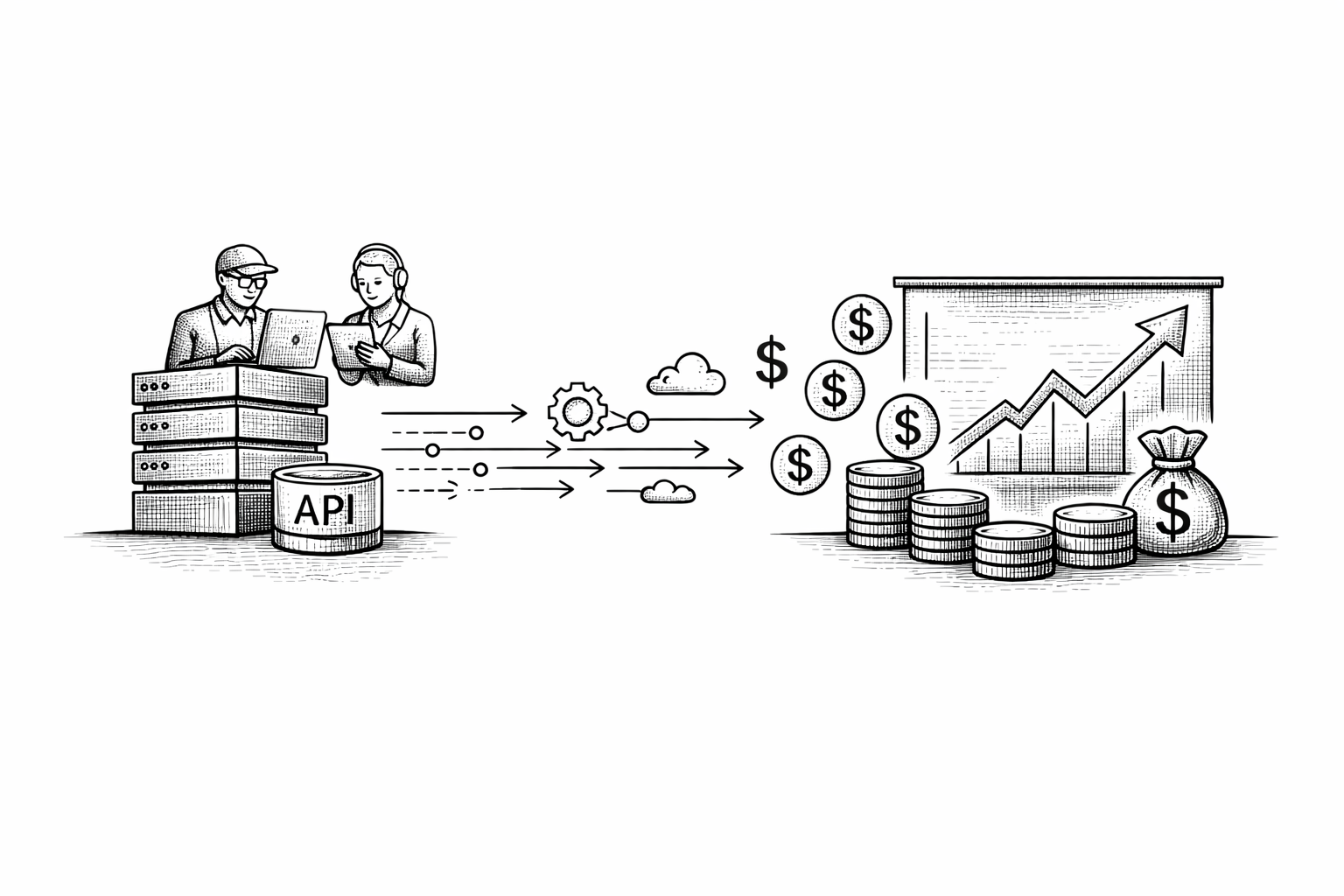
The three ways to shift an API program from cost center to profit center are: charging for API usage directly, removing engineering from the partner onboarding path, and giving leadership the data to see what the program is worth.
1. Generate revenue from API usage
Charging for API access is the most direct path to profit center status. It turns an expense line into a revenue line. Partners who were getting free access start paying for it, and you can show leadership exactly how much.
This doesn't have to mean charging everyone for everything on day one. A few practical starting points:
- Usage-based pricing. Partners pay per API call, per data record, or per transaction. They use more, they pay more. It aligns cost with value.
- Tiered subscriptions. Free tier for developers exploring your API, paid tiers for partners in production. A standard model that partners already understand.
- Flat fee plus overage. Partners get a predictable monthly cost up to a volume threshold, then pay for usage above it. Good for partners who want budget certainty.
- Credit packs. Partners buy credits upfront and draw them down over time. Works well when usage is bursty or unpredictable.
- Contract-based pricing. Fixed pricing agreements for strategic partners. Gives you revenue predictability and formalizes the relationship.
The billing infrastructure to make this work doesn't need to be custom-built. Platforms like Apiable come pre-integrated with Stripe, so you can go from zero to automated billing without a months-long development project. Read more in what is API monetization.
2. Scale partner onboarding without scaling headcount
The engineering bottleneck is the second biggest problem. Every manual onboarding step is a cost. And when the business wants to add partners faster than the team can handle them, growth stops.
One partner program manager we spoke with put it plainly: "We can't add new partners at the rate the business wants because manual onboarding is the bottleneck."
Self-service onboarding removes the bottleneck. Here's what that looks like in practice:
- Partners find your API portal, create an account, and subscribe to an API product on their own.
- They get credentials, access documentation, and start building in a sandbox, all without raising a ticket.
- Approval workflows handle review and sign-off where you need control. Automated flows handle the rest.
- Terms of service are accepted digitally during registration. No contracts in email threads.
- Role-based access lets partners manage their own teams without coming back to you.
The goal is to make partner onboarding feel the way Stripe and Twilio feel to developers. Self-service, immediate, frictionless. That's the bar partners now compare you to. And it's achievable without ripping out your existing API gateway.
3. Gain visibility into what's working
Flying blind is expensive. You're prioritizing partners based on who shouts loudest, not on who drives the most value. Leadership is asking questions you can't answer. And when budget review comes, you don't have data to defend the program.
Usage visibility gives you three things:
- A story you can tell. Which partners are growing, which are stagnant, and which haven't made their first API call. That's a narrative you can bring to leadership.
- Prioritization based on data. Put engineering support and investment behind the partners who are actually driving volume and revenue. Stop guessing.
- Revenue attribution. When your API program contributes to a customer expansion or a new partnership deal, you need to be able to show that. Usage dashboards and partner analytics make that possible.
This is often the lever that changes the conversation with leadership fastest. You don't need a full monetization rollout to show a dashboard that says "these 12 partners generated 4.2 million API calls last quarter, and here's which three are growing fastest."
How Do You Build the Business Case for API Monetization?
The business case for API monetization has three parts: where you are now, where you're going, and what the first quick win looks like.
Current state: count what it costs.
Before you can argue for investment, you need to put numbers on the problem. Ask your team:
- How many hours per month does engineering spend on partner onboarding? At what cost?
- How many active partners do you have? What would it take to add 20 more at the current process?
- How many support tickets per month come from partners? What's the cost to resolve them?
- What revenue is currently untracked because there's no billing system?
Most teams who do this exercise find the numbers are larger than they expected. That's the point.
Future state: define what changes.
Self-service onboarding: partners onboard themselves in days, not weeks. Engineering time per partner drops from 40+ hours to near zero. Automated billing: every partner is billed for usage with no manual invoicing. Revenue is trackable, attributable, and defensible. Usage dashboards: leadership can see which partners are active, which are growing, and what the dollar contribution is.
Quick win: start small.
You don't need to monetize every API at once. Pick one API product. Set one pricing model. Onboard your first five to ten paying partners. Show leadership a dashboard with real numbers.
That proof of concept, done in a quarter, changes the conversation. It moves your program from "cost center" to "revenue potential" in the eyes of leadership, and it gives you the credibility to ask for more investment.
What Metrics Prove API Program Value?
The metrics that prove an API program's value to leadership fall into two categories: revenue metrics and efficiency metrics.
Revenue metrics:
- Revenue per partner. What does each active partner contribute? Even a small number proves the model works.
- API revenue growth rate. Month-over-month and quarter-over-quarter growth in revenue generated through API usage.
- Partner activation rate. What percentage of registered partners make their first successful API call? Low activation rate signals onboarding friction.
Efficiency metrics:
- Time-to-first-call. How long from account creation to a partner's first successful API call? Stripe measures this in minutes. Most enterprise API programs measure it in weeks. The gap is your opportunity.
- Engineering hours saved per integration. When you move from manual to self-service, you can put a number on the time saved. That number translates directly to cost savings.
- Support tickets per partner. Track this before and after self-service onboarding. The reduction is a measurable ROI.
These metrics don't require a full platform overhaul to track. Start capturing them now, even if it's manual. The data will make your case.
What Does the API Monetization Transformation Timeline Look Like?
Moving from cost center to profit center is a phased process. Trying to do everything at once usually means doing nothing well. Here's a realistic sequence.
Month 1: Build the foundation.
Get your house in order before inviting paying guests.
- Document your existing API products and map them to potential pricing models.
- Identify your five best candidates for a paid partner launch.
- Select a monetization platform that works with your existing gateway. Apiable integrates with AWS, Kong, and others, so you don't have to migrate.
- Stand up a self-service partner portal. This can be live in days, not months.
- Define your first pricing model. Keep it simple. Usage-based or flat-fee-plus-overage works for most teams starting out.
Months 2-3: Launch your first monetized product.
Run a controlled launch with a small partner group.
- Pick one API product and go live with billing.
- Migrate five to ten existing partners to the paid model. Have direct conversations with them. Partners who understand the value you provide usually don't push back.
- Track the metrics that matter: time-to-first-call, activation rate, revenue per partner.
- Find the friction points early. Fix them before you scale.
Months 4-6: Scale and optimize.
With a working model and real data, you can grow.
- Open the self-service portal to new partners. Let the automation do the work.
- Add a second pricing tier or a new API product.
- Build the dashboard your leadership team can see. Show the numbers in your next QBR.
- Use partner usage data to prioritize where engineering investment goes.
By the end of six months, you're not making a case for your API program. You're showing results.
Key Takeaways
- API programs get labeled as cost centers because they consume budget without generating trackable revenue. This is a structural problem, not an inherent one.
- Three levers change the equation: charging for API usage, removing manual work from partner onboarding, and giving leadership visibility into what the program is worth.
- The business case starts with counting the real cost of your current process, not with projecting future revenue.
- You don't need to monetize everything at once. One API product, one pricing model, and five paying partners changes the conversation.
- Metrics that move leadership: revenue per partner, time-to-first-call, engineering hours saved per integration, and API revenue growth rate.
- A six-month timeline is realistic. Month one is foundation. Months two and three are a controlled first launch. Months four through six are scale.
Ready to Turn Your API Program into a Revenue Engine?
If your API program is stuck in cost center mode, the problem isn't your APIs. The infrastructure to change that is available today, and it doesn't require a year-long project.
See how Apiable's API monetization platform works and understand what it takes to most teams are live within 3-4 weeks.
Or if you'd rather talk through your specific situation first, book a demo and we'll show you what this looks like for your stack.